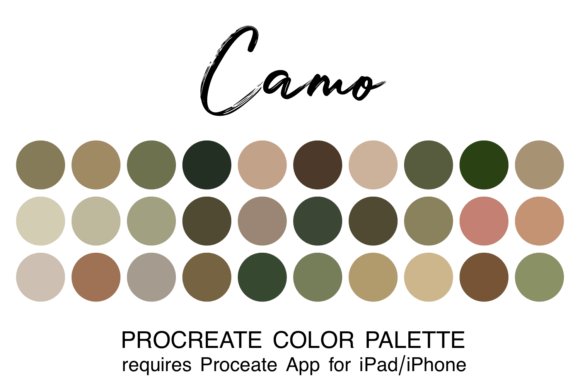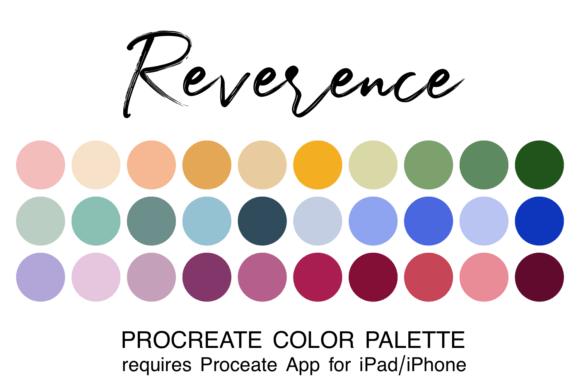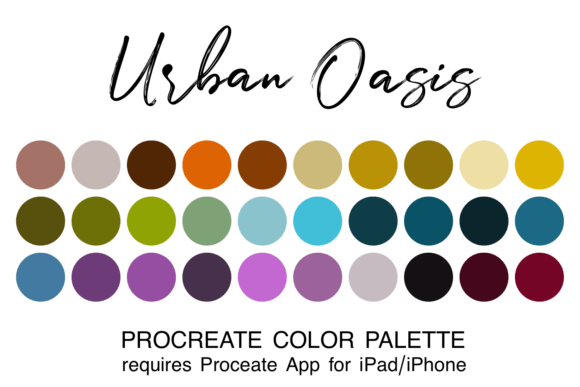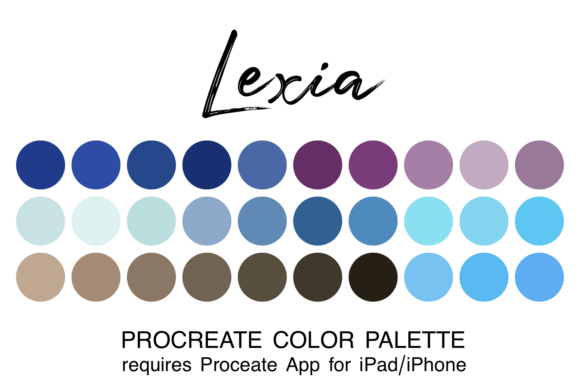
Hush Procreate Color Palette: Soft Tones
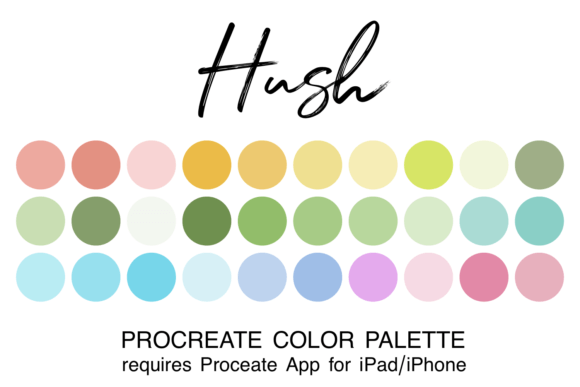
Dive into a world of gentle tones with the Hush Procreate Color Palette. This collection of 30 soothing colors is designed to transform your digital canvas into a space of calm and creativity. Whether you are a seasoned illustrator or just starting your journey on the iPad, having access to a curated set of hues can significantly streamline your workflow. The Hush palette offers a harmonious range of soft shades, including blush pinks, sunny yellows, cool mint greens, and tranquil blues. These carefully selected tones are perfect for creating dreamy, ethereal designs that resonate with viewers on an emotional level.
Many artists struggle with the overwhelming choice of millions of colors available in Procreate. Paralysis by analysis is real; spending hours picking the right shade can drain your creative energy before you even draw a single line. The Hush palette solves this problem by providing a pre-coordinated set of colors that blend seamlessly. By removing the friction of color selection, you can focus entirely on the art creation process. This allows for a more fluid and enjoyable experience, where the act of painting becomes about expression rather than technical decision-making.
The Essence of the Hush Collection
At its core, the Hush Procreate Color Palette is about atmosphere. It captures a specific mood: light-hearted, whimsical, and serene. Unlike high-contrast palettes designed for bold statements, this collection thrives on subtlety. The colors are pastel-leaning but possess enough depth to create dimension without harshness. When you apply these shades to your work, they evoke a sense of tranquility that is increasingly sought after in modern digital art and design.
The versatility of this palette makes it suitable for a wide array of projects. If you are working on character illustrations, these soft hues can give your characters a gentle, approachable personality. For landscape artists, the mint greens and tranquil blues provide a natural foundation for sky and foliage that feels organic yet stylized. Even for those who do not consider themselves "artists," the Hush palette serves as an excellent tool for crafting beautiful visual content for social media, personal journals, or educational materials.
Why Curated Palettes Matter for Creators
Creating artwork in Procreate is easier and more fun when you have a coordinated or themed color palette. A curated collection ensures consistency across your portfolio. When you use a cohesive set of colors, your body of work instantly feels more professional and intentional. This is particularly valuable for entrepreneurs, bloggers, and small business owners who need to maintain a strong brand identity. Imagine designing a logo, a blog header, and a set of Instagram stories all using the same soothing Hush tones. The result is a unified visual language that audiences can easily recognize and trust.
Furthermore, using a specific palette like Hush helps in overcoming creative blocks. Sometimes, the blank screen is intimidating because there are too many possibilities. Limiting your options to 30 beautiful colors acts as a constraint that sparks creativity. You begin to explore how these specific shades interact, discovering new gradients and combinations you might not have tried otherwise. It shifts your mindset from "what color should I pick?" to "how can I make this look better with what I have?"
Practical Applications in Real Life
The applications for the Hush Procreate Color Palette extend far beyond simple sketches. Here are several realistic use cases where this collection shines:
- Digital Branding: Freelancers and marketers can use these tones to create pitch decks, presentation slides, and marketing graphics that stand out through elegance rather than aggression.
- Educational Resources: Educators creating worksheets, flashcards, or lesson plans will find the soft hues easy on the eyes, making learning materials more inviting for students of all ages.
- Personal Projects: Hobbyists can use the palette for digital scrapbooking, planning, or creating custom wallpapers for their devices that reflect a peaceful aesthetic.
- Product Design Mockups: Entrepreneurs designing packaging for lifestyle products, such as skincare or baby items, can visualize how their branding looks in a context that screams "gentle care."
For example, a blogger writing about mindfulness could illustrate their posts with watercolor-style backgrounds using the Hush palette. The blush pinks and sunny yellows would complement the text perfectly, reinforcing the message of positivity and calm. Similarly, a children's book author could use the tranquil blues and mint greens to create soothing bedtime story illustrations that help young readers relax.
Technical Details and File Format
To utilize these colors, you will receive 30 colors in one file of the ".swatch" type specifically for use in the Procreate app. This format is native to the software, ensuring that the colors load quickly and remain accurate to the original design intent. There is no need for complex conversion tools or third-party plugins; the file is ready to integrate directly into your library once installed correctly.
It is important to note that this asset is designed exclusively for the Apple ecosystem. You must have the Procreate app installed on your iPad or iPhone to use this color swatch file. While Procreate has revolutionized digital art on tablets, it does not run on Android devices or desktop computers. Therefore, ensure your hardware meets the requirements before downloading. This limitation ensures that the user experience remains optimized for the touch interface and pressure sensitivity that Procreate is known for.
How to Install Your Swatches
Getting started with the Hush Procreate Color Palette is straightforward, even for beginners. Follow this simple process to get your new colors ready to paint:
- Download the zipped file containing the palette to your device.
- Open the Files app on your iPad or iPhone and navigate to the "Downloads" folder.
- Tap on the zipped file to unzip it. This will extract the actual swatch file.
- Click directly on the extracted swatch filename (the file ending in .swatch).
- Your device will automatically prompt you to open the file in Procreate. Select "Open in Procreate."
- Once inside the app, go to your color panel and tap the "+" icon to import the new palette.
Once imported, the Hush palette will appear in your list of available colors, ready to be used immediately. You can now drag and drop these swatches onto your canvas, mix them with brushes, or save them as favorites for quick access during future sessions.
Considerations Before You Begin
While the Hush palette is incredibly versatile, it is worth considering the nature of your project before committing to it. Because the tones are soft and pastel-heavy, they may not be the best fit for high-energy, neon, or dark-themed projects. If your goal is to create something gritty, industrial, or extremely vibrant, you might need a different set of assets. However, for anything requiring a sense of calm, whimsy, or elegance, this collection is unmatched.
Additionally, remember that while the palette provides a solid foundation, true mastery comes from understanding how to layer and blend these colors. Use opacity settings, blending modes, and different brush textures to add depth. The beauty of the Hush palette lies in its ability to blend seamlessly, but experimenting with these techniques will unlock its full potential. Elevate your artwork with these carefully curated pastel shades and let your creativity flow without the distraction of color theory struggles.